
#Installation and requirements
mcVaults is a crate plugin for Paper servers. It needs no other plugin to work. Vault, PlayerPoints and PlaceholderAPI are optional extras.
| Requirement | Details |
|---|---|
| Server | Paper 1.21.4 or newer |
| Java | 21 or newer |
| Vault (optional) | Lets crates be bought with money. Needs an economy plugin (for example EssentialsX) behind it. |
| PlayerPoints (optional) | Lets crates be bought with points. |
| PlaceholderAPI (optional) | Enables the %mcvaults_...% placeholders. |
- Stop the server and put
mcVaults-2.0.2.jarin theplugins/folder. - Start the server. mcVaults creates
plugins/mcVaults/withconfig.yml,messages.yml,guis.yml, acrates/folder (16 example crates) and ananimations/folder (23 animations). - Check the console for the mcVaults banner. If you use Vault or PlayerPoints, make sure they load before you test paid crates.
Holograms, the floating reward and the particle ring are built from Minecraft display entities by mcVaults itself, and nothing is saved into your world files.
Upgrading from 1.x
Replace the old jar. Crates, animations, player data and bound crate blocks carry over. The old messages.yml and guis.yml are kept as messages-v1.yml and guis-v1.yml and the new layout takes their place. If a crate file has its own hologram: section it still works; remove it to get the new hologram look.
#Files and folders
| Path in plugins/mcVaults/ | What it holds |
|---|---|
config.yml | Global behavior: keys, holograms, showcase, announcements, price formats, bulk opening, default rarity tiers, update checks. |
messages.yml | All chat text. |
guis.yml | Every player menu and the admin panel: titles, slots, items, text. |
crates/<id>.yml | One file per crate. The file name is the crate id. |
animations/<id>.yml | One file per opening animation. Files that start with _ are ignored (the bundled _TEMPLATE.yml documents the format). |
playerdata/ | One YAML file per player (keys, opens, pity, milestones, history). Writes go to a temp file first and are then renamed, so a crash cannot corrupt a file. |
All text supports MiniMessage (<red>, <#55FFB3>, <gradient:#FF5555:#FFAA00>...</gradient>). /mv reload applies changes to the config files and crate files without a restart.
#Crates and crate blocks
A crate is one YAML file in crates/. mcVaults ships 16 ready-made crates, each using a different animation, so you can try them before building your own. A crate becomes a physical crate in the world by binding it to a block.
Bind a block
- Look at the block (within 6 blocks) and run
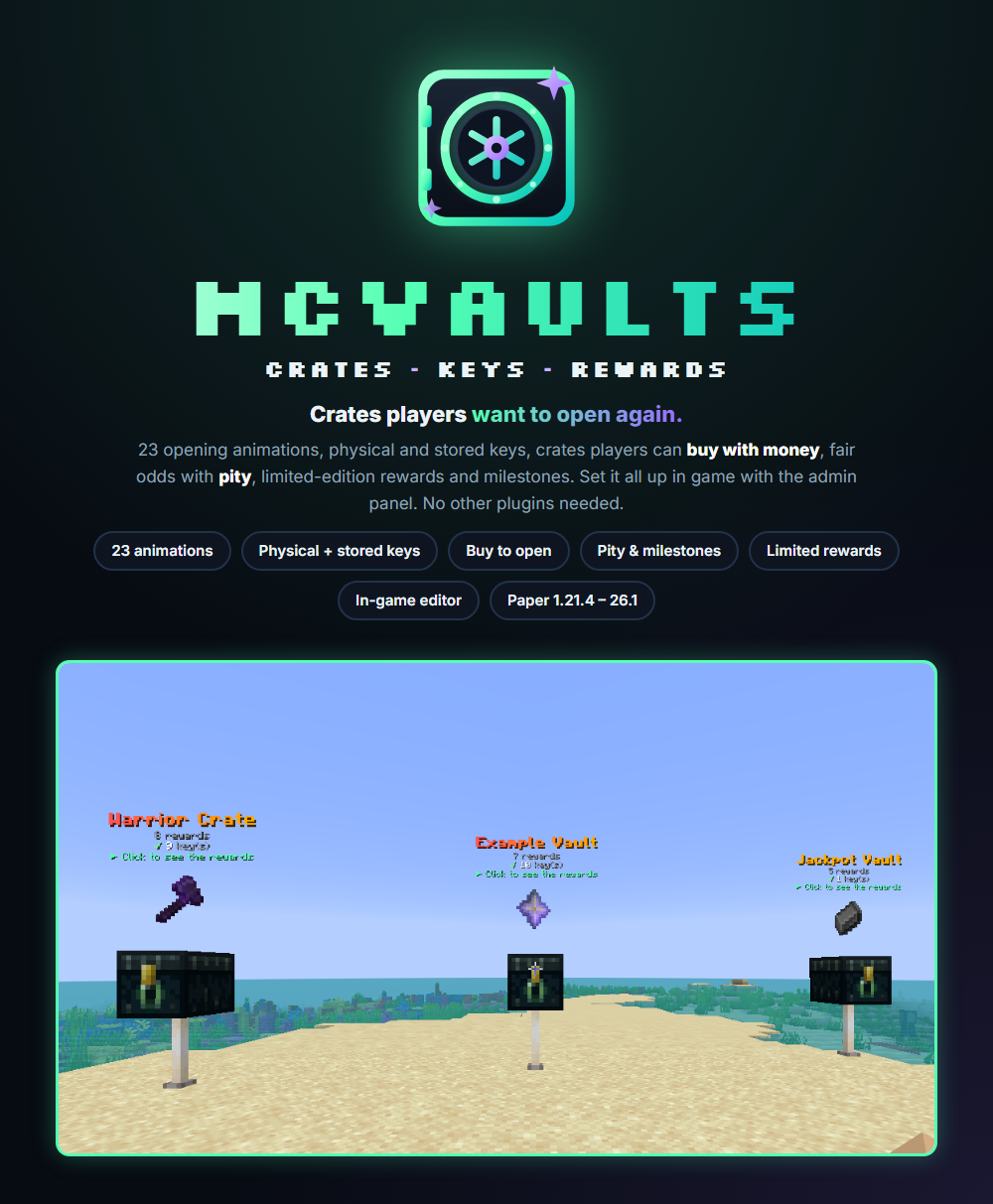
/mv bind example_crate. - The block now shows a hologram, a spinning reward and idle particles. Each player sees their own key count on it.
- Right-click the block to open the crate screen. Right-click with the crate's key to open it at once (see Keys).
- Run
/mv unbindwhile looking at the block to remove the binding. Breaking a bound block by a player withmcvaults.admin.bindalso unbinds it.
One block holds one crate. Binding a block that is already bound is refused. If a block cannot be bound, check that you are looking at it from within 6 blocks.
Create and delete crates
/mv create <id>creates an empty crate and opens the admin panel./mv delete <id>deletes the crate file./mv listlists every crate with its reward count and animation.
#The in-game admin panel
Run /mv admin (alias /mv editor) to edit crates without touching a file. Changes are saved at once and need no reload.
- Pick a crate to see all its rewards. Drop an item from your inventory into an empty slot to add it as a reward. Items keep their enchantments, names and data from other plugins.
- Click a reward to edit its chance, rarity, kind (item, command or both), commands, max winners and season dates.
- Open the crate settings to change the animation, price, purchasable flag, economy, pity, key item and menu icon. You can hold any item and set it as the crate's key.
- The title bar of the panel is set in
guis.ymlunderadmin.
Some fields (names, numbers, commands) ask you to type the new value in chat. Type it, and the panel reopens.
#Rewards and odds
Rewards live under rewards: in the crate file. Each reward has a unique id and these options:
| Option | What it does |
|---|---|
kind | ITEM_ONLY, COMMAND_ONLY or ITEM_PLUS_COMMANDS. |
chance | A relative weight, not a hard percent. The percentages players see are the weight divided by the sum of all active weights. If you leave it out, the rarity tier's default-chance is used. |
rarity | A tier id from the crate or from config.yml (common, rare, epic, legendary by default). |
display-name, lore | How the reward looks in menus and animations (MiniMessage). |
item | material, amount, glow, custom-model-data, enchantments. Items added in the admin panel are stored as item.data and given exactly as they are. |
commands | A list of command plus console: true|false. {player} is replaced with the winner's name. |
limited.max-winners | Limited edition: the reward can only be won this many times. 0 means unlimited. |
start, end | ISO-8601 timestamps (like 2025-12-01T00:00:00Z) for a seasonal reward. |
enabled, retired | A disabled or retired reward is never rolled. |
cosmetic-key | The id used for duplicate detection. Defaults to the reward id. |
A reward is rolled only if it is enabled, not retired, inside its season and (for limited rewards) has copies left.
A real reward from the example crate:
  dragon_egg:
    kind: ITEM_PLUS_COMMANDS
    chance: 1.0
    rarity: legendary
    display-name: "<gold>Dragon's Egg"
    lore:
      - "<dark_purple>Only 5 of these will ever be won."
      - "<gray>First to claim it, keeps it."
    item:
      material: DRAGON_EGG
      glow: true
      custom-model-data: 2001
    commands:
      - command: "announce {player} claimed the Dragon's Egg!"
        console: true
    limited:
      max-winners: 5
      winners: []
Limited rewards
Wins of limited rewards are tracked and the winners are listed in the reward tooltip (unwon rewards show ???). When one is won, mcVaults announces it to the whole server with a clickable link to your store, plays a sound and shows a particle burst around the winner. Configure this under broadcast: in config.yml.
Duplicates
By default a duplicate is simply granted again. Add a duplicate: section to a crate to change that. A reward counts as owned once the player has won a reward with the same cosmetic-key.
| duplicate.policy | Behavior |
|---|---|
STACK | Default. Grant it again, silently. |
REROLL | Roll again (up to 5 tries), then pick from the rewards the player does not own yet. Rewards rolled earlier in the same x5 or x10 open count as owned. |
REFUND | Give back the key or the money spent on that open. |
GRANT | Pay duplicate.grant-amount in the crate's economy. |
COMMAND | Run duplicate.fallback-command from the console. {player} is replaced. |
Test your odds
/mv simulate <crate> [opens] runs the odds simulator (default 10000 opens, at most 1,000,000) and prints how often each reward was won. It changes no player data.
#Pity and milestones
Pity
Pity is per player, per crate and per rarity tier. It is set in the crate's pity: section:
pity:
  guaranteed-after:
    epic: 15
    legendary: 50
  soft-pity:
    enabled: true
    increment-percent: 1.5
max-bonus-percent: 45.0- Hard pity (
guaranteed-after): after that many opens without the tier, the next open is forced into that tier or a rarer one. - Soft pity: every open without a hit adds
increment-percentpercentage points to the tier's chance, capped atmax-bonus-percent. The bonus also applies to rarer tiers. Soft pity follows the same tiers asguaranteed-after. - Hitting a tier resets its counters and those of every lower tier. Delete the whole section to turn pity off for that crate.
Rarity order comes from the tier list: the first tier is the most common, later tiers are rarer.
Rarity tiers
Default tiers are in config.yml. A crate can override or add tiers under its own tiers::
tiers:
  common:
    display: "<#B9C2CC>Common"
    default-chance: 60.0
  rare:
    display: "<#5CE1FF>Rare"
    default-chance: 25.0
  epic:
    display: "<#B78CFF>Epic"
    default-chance: 12.0
  legendary:
    display: "<gradient:#FFD166:#FF9F5A>Legendary</gradient>"
    default-chance: 3.0
Milestones
Bonus commands for opening a crate many times. Use at for a one-time count or every for each multiple. Commands run from the console and can use {player} and {opens}.
milestones:
  loyal:
    every: 25
    name: "<gold>Loyalty bonus"
    commands:
      - "eco give {player} 1000"
  veteran:
    at: 100
    name: "<light_purple>Veteran title"
    commands:
      - "lp user {player} permission set title.vault_veteran true"
The crate screen shows pity progress bars and the next milestone to each player.
#Keys and buying
Every crate can be opened with keys. A crate with purchasable: true can also be opened by paying money or points.
Two kinds of keys
- Stored (virtual) keys are a number on the player's profile. They survive death and full inventories.
- Physical keys are real items, tagged with the crate id. Players can trade or store them. A renamed item can never open a crate, and keys cannot be placed as blocks.
Players switch between the two with /mv withdraw <crate> [amount] (stored to item) and /mv deposit (every key item in the inventory back to stored keys).
Giving keys
/mv givekeys Steve example_crate 5
/mv givekeys Steve example_crate 5 physical
/mv givekeys all example_crate 1
/mv givekeys Steve example_crate 5 -s- Works for offline players who have joined before. Physical keys for an offline player are handed out the next time they join. Use this in your store's delivery command.
all(or*) gives every online player keys and announces it in chat (keys.broadcast-keyall).physicalgives key items instead of stored keys.-sgives silently./mv takekeysand/mv setkeyschange stored keys.setkeysaccepts 0.
Opening
- Right-click the crate block while holding its key to open at once (
keys.quick-open). Sneak to open as many as you have keys for, up to the bulk limit. - Right-click the air with a key to preview that crate's rewards (
keys.preview-on-use). - The crate screen has buttons to open 1, 5 or 10. After a multi-open a results screen reveals the rewards one by one, shows the best pull and offers "open again".
/mv open <crate> [amount]opens from the command line.- When a player has both kinds,
keys.use-firstdecides which is spent first. - On a purchasable crate, a key is used before money when the player has enough (
keys.keys-before-buying).
Buying a crate open
purchasable: true
price: 2500.0
# economy: vault | playerpoints | none (per-crate backend selection)
economy: vault
# currency: optional id that picks a price format from config.yml
# economy.price-format.currencies. Leave empty for the default format.
currency: ""
If the chosen economy is not installed, the crate cannot be bought. Prices are shown in menus, holograms and placeholders using economy.price-format in config.yml (decimals, thousands separator, compact form such as 2.5k, and a format per provider or per currency).
A custom key item
Set the default key look in config.yml under keys.default-item. Give one crate its own key with a key: section in its file (material, name, lore, glow, custom-model-data), or hold any item and set it as the key in the admin panel crate settings. {crate} in the key name is replaced with the crate name.
#Opening animations
There are 23 animations. A crate picks one with animation: <id> in its file. Players cannot close or skip an animation, and a reward is never lost if they log out or the server restarts mid-animation.
Menu animations (play in an inventory screen)
| Id | Type | What it does |
|---|---|---|
horizontal-roulette | ROULETTE_H | Horizontal reel that slows down onto the win. |
vertical-roulette | ROULETTE_V | Vertical reel. |
slot-machine | SLOTS_3 | Three-reel slot machine. |
ring-reveal | RING_EXPAND | Slots fill outward from the center. |
card-flip | CARD_FLIP | Face-down cards flip over. |
countdown | COUNTDOWN | Candidates are eliminated one by one. |
chest-unlock | CHEST_UNLOCK | A lock dial cycles, then unlocks. |
mystery-pick | PICK_ROLL | The player clicks a mystery slot to roll it. |
scratch-card | SCRATCH | The player scratches panels off a card. |
balloon-pop | BALLOON_POP | The player pops a balloon, the rest follow. |
dice-roll | DICE_ROLL | Two dice flash, then the result reveals. |
lucky-wheel | LUCKY_WHEEL | A ring of rewards spins under a pointer. |
mining-dig | MINING_DIG | A pickaxe smashes a wall open. |
fishing-reel | FISHING_REEL | Catches rise from the water to the surface. |
World animations (play on the crate block, GUI closed)
| Id | Type | What it does |
|---|---|---|
carousel | CAROUSEL | A ring of rewards circles the crate and stops on the win. |
crate-spin | CRATE_SPIN | A reward rises out of the crate and flips through the rewards. |
meteor | METEOR | A burning rock falls onto the crate and the win rises out. |
fountain | FOUNTAIN | Rewards shoot out in arcs, then the win. |
chest-reveal | CHEST_REVEAL | A chest appears in front of the player, decoy rewards orbit and are sucked in, then the chest bursts open and the win rises out. |
flicker-landing | ITEM_FLICKER | A floating item flickers and lands. |
lightning-reveal | LIGHTNING_REVEAL | Visual lightning bolts strike, then reveal. |
vortex-burst | VORTEX_BURST | A particle spiral bursts into the reward. |
firework-show | FIREWORK_SHOW | An accelerating firework volley and a finale. |
World animations play on the crate block that was clicked. When a crate is opened from /crates or a command, they play in front of the player instead. The floating reward above a crate hides while an animation plays on it.
Make your own animation
Copy any file in animations/, rename it (the file name is the id), edit it, point a crate at it and run /mv reload. Each file has a display-name, a type (from the tables above), settings for that type (rows, title, timing, anchor height) and a list of steps.
Each step has an action and a when hook (START, TICK, REVEAL or END; no when means REVEAL):
| Action | Main parameters |
|---|---|
SOUND | sound (required, a vanilla id), volume, pitch |
TITLE | title and/or subtitle, fade-in, stay, fade-out |
ACTIONBAR, MESSAGE | text |
BOSSBAR | text, color, style, progress, seconds |
PARTICLE | particle (particles without extra data), count, dx, dy, dz, speed, spread values |
FIREWORK | color (hex), flicker, power, offsets |
LIGHTNING | offsets. Visual only, never damages. |
DELAY | ticks (required) |
REVEAL | No parameters. The moment the reward is actually given, commands run and the win is announced. Without a REVEAL step the reward is given when the animation ends. |
ITEM_DISPLAY | op (spawn, set, despawn), id, material, offsets, scale |
Text in steps can use {reward}, {crate}, {player} and {rarity}. The bundled animations/_TEMPLATE.yml has the full schema and a worked example. Unknown keys are ignored and missing keys get defaults. /mv reload reports any animation problems.
#Holograms and floating rewards
Bound crate blocks get a hologram, a floating reward that cycles through the crate's rewards, and idle particles. All three use display entities.
holograms:
  # PER_PLAYER: each player sees their own keys and price.
  # STATIC: one shared hologram per crate block (no per-player numbers).
  # DISABLED: no holograms.
  mode: PER_PLAYER
  # Holograms, the showcase and idle particles appear within this distance.
  view-distance: 12.0
  title: "<bold>{crate}</bold>"
  lines:
    - "<#8A93A3>{reward-count} rewards"
    - "{status}"
    - "<#55FFB3>{hint}"
Placeholders in hologram text: {crate} {status} {hint} {keys} {opens} {price} {currency} {reward-count} {player}. A crate can set its own hologram.title and hologram.lines in its file. The status and hint texts are in config.yml under holograms.status and holograms.hint.
showcase:
  enabled: true
  # Seconds each reward is shown.
  cycle-seconds: 2
  height: 1.6
  scale: 0.8
  bob: 0.08
  # Idle particles circling the block ("none" = off). Per crate: showcase.particle.
  particle: END_ROD
A crate can turn the showcase off or change the particle with showcase.enabled and showcase.particle in its own file.
#History, force open and data tools
/mv history <player>opens a paginated purchase history for an online player. The number of rows kept per player isstorage.history-limit(default 100)./mv forceopen <player> <crate> [amount]opens a crate for an online player for free, with no key, money or permission check./mv resetdata <player>wipes an online player's mcVaults data./mv keys [crate]shows your own stored and physical keys.
#Commands
The main command is /mcvaults, with aliases /mcv, /mv and /vaults. /crates (alias /cratesmenu) is a shortcut to the crates menu. Tab completion shows only the subcommands you have permission for. Console can run any command that does not need a player in front of it.
| Command | What it does | Permission |
|---|---|---|
| /mv help | Show the command list. | |
| /crates | Open the crates menu (also /mv menu). | mcvaults.user.menu |
| /mv list | List every crate with its reward count and animation. | mcvaults.user.preview |
| /mv preview <crate> | Open the crate screen with every reward and its chance. | mcvaults.user.preview |
| /mv open <crate> [amount] | Open a crate using a key (or money on purchasable crates). | mcvaults.user.open |
| /mv keys [crate] | Show your stored and physical keys. | |
| /mv withdraw <crate> [amount] | Turn stored keys into key items. | mcvaults.user.withdraw |
| /mv deposit | Store every key item in your inventory as stored keys. | mcvaults.user.withdraw |
| /mv givekeys <player|all> <crate> <amount> [physical] [-s] | Give keys. Works for offline players. all gives every online player keys. | mcvaults.admin.givekeys |
| /mv takekeys <player> <crate> <amount> | Remove stored keys. | mcvaults.admin.givekeys |
| /mv setkeys <player> <crate> <amount> | Set a player's stored keys to an exact number. | mcvaults.admin.givekeys |
| /mv bind <crate> | Bind the block you are looking at to a crate. | mcvaults.admin.bind |
| /mv unbind | Unbind the block you are looking at. | mcvaults.admin.bind |
| /mv forceopen <player> <crate> [amount] | Open a crate for an online player for free. | mcvaults.admin.forceopen |
| /mv resetdata <player> | Reset an online player's mcVaults data. | mcvaults.admin.reset |
| /mv simulate <crate> [opens] | Run the odds simulator (default 10000, max 1000000). | mcvaults.admin.simulate |
| /mv history <player> | Open the purchase history of an online player. | mcvaults.admin.history |
| /mv create <id> | Create a new empty crate and open the admin panel. | mcvaults.admin.create |
| /mv delete <id> | Delete a crate. | mcvaults.admin.delete |
| /mv admin | Open the in-game admin panel (also /mv editor). | mcvaults.admin.panel |
| /mv reload | Reload config, animations and crates. Reports problems it finds. | mcvaults.admin.reload |
#Permissions
Player permissions are on by default. Admin permissions are for operators by default. mcvaults.admin.* and mcvaults.user.* include all the nodes of their group.
When a crate has no permission: of its own, opening it checks mcvaults.user.open.<crate-id> (for example mcvaults.user.open.example_crate). This node is not declared in plugin.yml, so give your players mcvaults.user.open.* in your permissions plugin (for example LuckPerms) or they may be told they have no permission. To lock a crate to a rank, set permission: in the crate file to your own node.
| Permission | What it allows | Default |
|---|---|---|
| mcvaults.user.* | All player permissions below. | true |
| mcvaults.user.open | Open crates with keys or through the crate screen, and quick-open with a key. | true |
| mcvaults.user.open.<crate-id> | Open one specific crate (checked unless the crate sets its own permission: node). Grant mcvaults.user.open.* for all crates. | not declared |
| mcvaults.user.bulk | Open several crates at once (sneak quick-open, x5, x10). | true |
| mcvaults.user.preview | View a crate's rewards and use /mv list and /mv preview. | true |
| mcvaults.user.menu | Use /crates. | true |
| mcvaults.user.withdraw | Use /mv withdraw and /mv deposit. | true |
| mcvaults.admin.* | All admin permissions below. | op |
| mcvaults.admin.reload | Use /mv reload. | op |
| mcvaults.admin.panel | Open the admin panel. | op |
| mcvaults.admin.givekeys | Use givekeys, takekeys and setkeys. | op |
| mcvaults.admin.setkeys | Listed in the admin group in plugin.yml. The key commands check mcvaults.admin.givekeys. | op |
| mcvaults.admin.forceopen | Use /mv forceopen. | op |
| mcvaults.admin.bind | Use /mv bind and /mv unbind. Breaking a bound block also unbinds it. | op |
| mcvaults.admin.reset | Use /mv resetdata. | op |
| mcvaults.admin.simulate | Use /mv simulate. | op |
| mcvaults.admin.history | Use /mv history. | op |
| mcvaults.admin.create | Use /mv create. | op |
| mcvaults.admin.delete | Use /mv delete. | op |
| mcvaults.admin.updates | Receive update notices on join. | op |
#Placeholders
Needs PlaceholderAPI. The expansion is registered automatically when PlaceholderAPI is installed. Crate ids that contain underscores work (the longest matching crate id is used). Placeholders for a player who is offline return 0 or empty.
| Placeholder | Value |
|---|---|
| %mcvaults_keys_<crate>% | Stored plus physical keys for that crate. |
| %mcvaults_virtual_<crate>% | Stored keys only. |
| %mcvaults_physical_<crate>% | Key items in the player's inventory. |
| %mcvaults_opens_<crate>% | How many times the player opened that crate. |
| %mcvaults_price_<crate>% | The crate price, formatted with your price format. 0 if the crate is not purchasable. |
| %mcvaults_currency_<crate>% | The crate currency id, or the economy name if none is set. |
| %mcvaults_pity_<crate>_<tier>% | Opens left until that rarity tier is guaranteed. Empty if the tier has no hard pity. |
| %mcvaults_milestone_<crate>% | Opens left until the next milestone. Empty if there is none. |
| %mcvaults_remaining_<crate>_<reward>% | Copies left of a limited reward, or unlimited. |
| %mcvaults_keys_total% | Total keys across every crate. |
| %mcvaults_opens_total% | Total opens across every crate. |
#Configuration
The main file is plugins/mcVaults/config.yml. Run /mv reload after editing. The most useful options:
Storage
storage:
  type: YAML
  # Background save interval for online players. 0 = only on quit and shutdown.
  autosave-minutes: 10
  # Purchase-history rows kept per player (oldest are removed first).
  history-limit: 100
Key behavior
keys:
  quick-open: true
  preview-on-use: true
  # When a player has both, use these first: VIRTUAL or PHYSICAL.
  use-first: VIRTUAL
  # On purchasable crates, use a key (if the player has one) before money.
  keys-before-buying: true
  notify: true
  broadcast-keyall: true
Limited-win announcement
broadcast:
  # Announce wins of LIMITED rewards (messages.yml broadcast-limited).
  limited-wins: true
  # Clickable link in that announcement ({store}).
  store-url: "https://store.yourserver.net"
  # Sound played to everyone online ("none" = off).
  limited-sound: "ui.toast.challenge_complete"
  limited-particles: true
center-limited: trueChange broadcast.store-url to your real store address, or the announcement will link to the placeholder.
Price formats
economy:
  price-format:
    format: "{amount}"
    decimals: 2
    thousands-separator: true
    compact: false
    providers:
      vault:
        format: "${amount}"
        decimals: 2
      playerpoints:
        format: "{amount} Points"
        decimals: 0
        compact: true
    currencies: {}
The most specific format wins: a per-currency entry, then the provider, then the global values. A crate picks a currency entry with currency: <id>. Example entry: gems: {format: "{amount} Gems", decimals: 0, name: "Gems"}.
Bulk opening
bulk:
  # Most crates opened in one action (also capped per crate by bulk-max).
  max-opens: 10
  # Wait between multi-opens, per player, in seconds. 0 = none.
  cooldown-seconds: 3
  results-gui: true
  # Ticks between each reward appearing in the results menu (0 = all at once).
  reveal-ticks: 3
Crate-level options
These go at the top of each crate file:
| Option | Meaning |
|---|---|
display-name | Crate name (MiniMessage). |
animation | Animation id (file name in animations/). |
purchasable, price, economy, currency | Buy-to-open settings. Economy is vault, playerpoints or none. |
permission | Custom permission node needed to open. Empty uses mcvaults.user.open.<crate-id>. |
bulk-max | Most opens per action for this crate. The lower of this and bulk.max-opens applies. |
tiers, pity, duplicate, rewards, key, menu, milestones, showcase, hologram | See the matching sections of this page. |
Other
debug: true prints extra loader detail to the console. Chat text is in messages.yml, which also has the help text shown by /mv help.
#Troubleshooting and FAQ
Players are told they have no permission to open a crate
When a crate has no permission: set, the open check uses mcvaults.user.open.<crate-id>. Give your default group mcvaults.user.open.* in your permissions plugin, or set a permission: node in the crate file and give that to players.
/mv reload says there are problems
The message lists what is wrong, such as an unknown rarity, an unknown animation id, an invalid season timestamp, or a reward with no item. Fix the named crate or animation file and reload again.
A crate cannot be bought
Check that purchasable: true, that economy is vault or playerpoints, and that Vault has an economy plugin behind it (the console warns "Vault detected but no economy provider" otherwise). For playerpoints, PlayerPoints must be installed.
/mv bind says to look at a block
/mv bind targets the block you look at within 6 blocks. Air does not count. A block that already has a crate must be unbound first with /mv unbind.
Holograms do not show
Check holograms.mode is not DISABLED and that you are within holograms.view-distance blocks. Run /mv reload after changing the config; it respawns the displays. No hologram plugin is required.
A player cannot open x5 or x10
They need mcvaults.user.bulk. The amount is capped by the lower of the crate's bulk-max and bulk.max-opens, and there is a per-player wait between multi-opens (bulk.cooldown-seconds).
/mv givekeys says the player never joined
Offline keys work only for players who have joined the server before, so their UUID is known. Check the spelling of the name.
Do keys get lost on death or a full inventory?
Stored keys never do. Physical keys are normal items, so they behave like any other item. Use /mv deposit to store them.
Can players skip or close an animation?
No. The player is locked into the animation. If they log out or the server restarts, the reward they rolled is still given.
I want a reward to run a command only
Use kind: COMMAND_ONLY with a commands: list. It is shown with a placeholder icon, so give it a display-name and lore.
#Updating
Replace the jar in plugins/ with the new version and restart. Your crates, animations, player data and bound blocks are kept. New config options are added with defaults until you add them to your own config.yml.
Update checker
updates:
  enabled: true
  check-on-startup: true
  check-interval-hours: 24
  # Downloads the new jar into plugins/update. It is installed on the next restart.
  # The current jar is copied to plugins/mcVaults/backup first.
  auto-download: false
  # Tells the console and players with mcvaults.admin.updates.
  notify: true
mcVaults checks BuiltByBit on startup and once a day (copies downloaded from BuiltByBit only) and tells the console and players with mcvaults.admin.updates. With auto-download: true the new jar is downloaded to plugins/update and installed on the next restart; the current jar is backed up to plugins/mcVaults/backup first. Leave shared-token blank and resource-id as it is.